
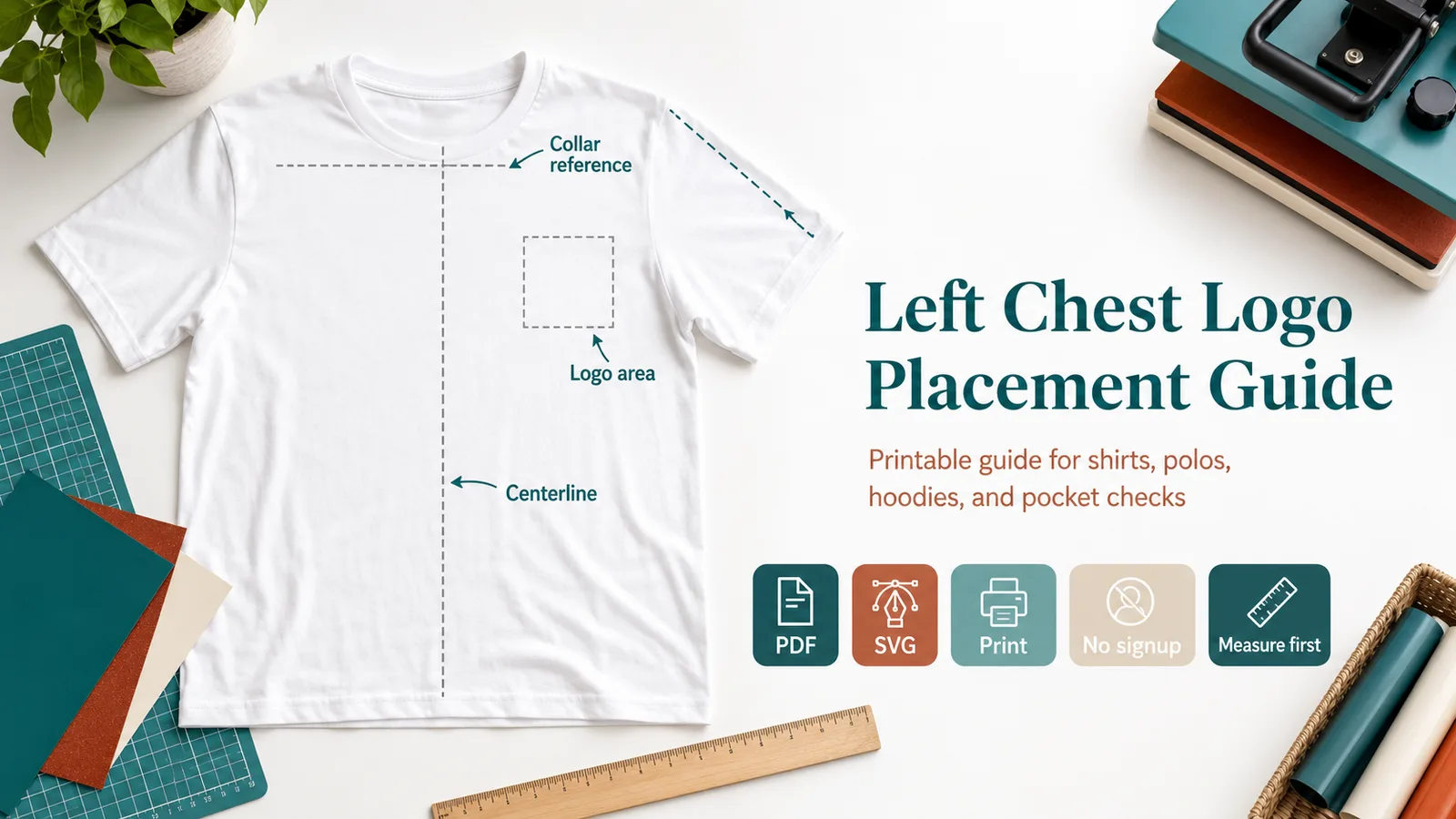
Printable Left Chest Placement Tool
Use this printable guide as a ruler-style starting point for left chest logo alignment. Print at 100% scale, confirm the 1 inch calibration square, then adjust for the actual garment.
Printable guide
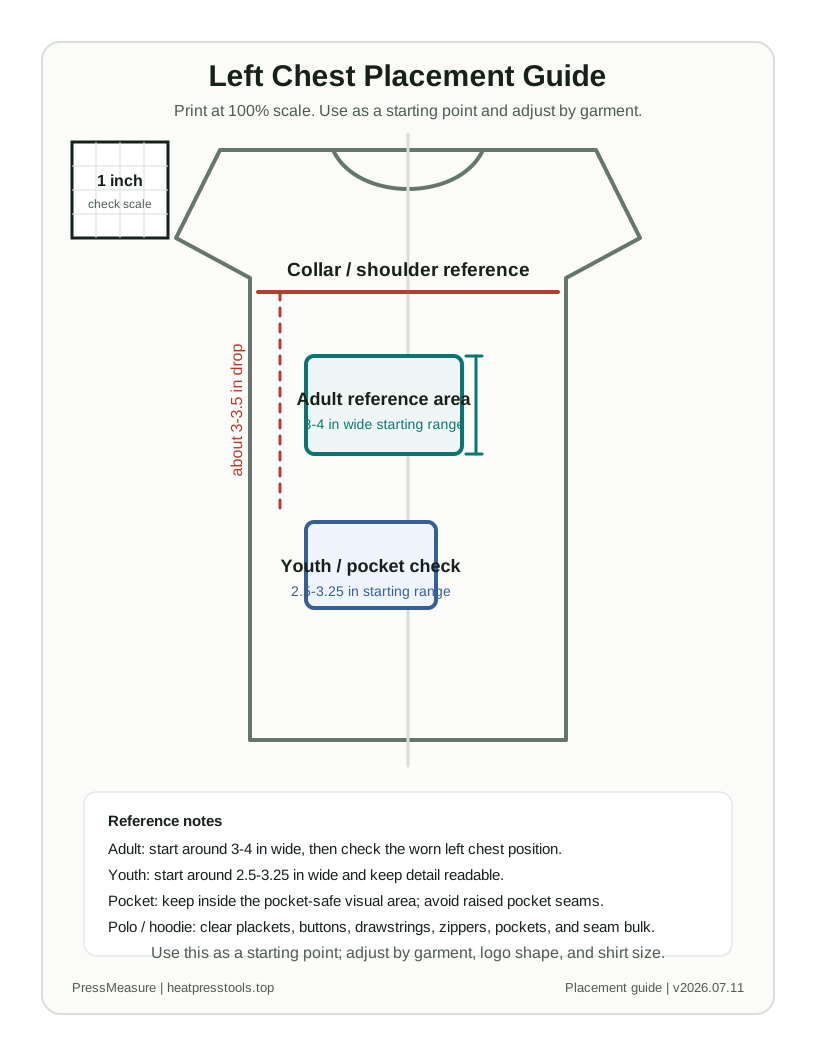
Left Chest Placement Guide
Use this as a starting point; adjust by garment, logo shape, and shirt size.
Before pressing, print at 100% scale and check that the calibration square measures exactly 1 inch.
Adult reference
Start around 3-4 in wide and about 3-3.5 in below the collar line, then check the worn left chest position.
Youth reference
Start around 2.5-3.25 in wide and keep text or fine detail bold enough to read after pressing.
Pocket warning
Keep the logo inside the pocket-safe visual area and do not press across raised pocket seams.
Polo warning
Clear the placket, buttons, collar structure, and thick seams before choosing the final offset.
Hoodie warning
Check drawstrings, kangaroo pocket position, zipper bulk, and press-pillow contact before production.
Left chest logo size and placement by garment type
Use this table before the calculator when you only need a quick placement range. The calculator below is better when you know the flat chest width or logo aspect ratio.
| Case | Logo size | Placement reference | Check before pressing |
|---|---|---|---|
| Adult T-shirt | 3.5-4 in wide | Under shoulder/collar area on worn left side | Do not align only from side seam |
| Adult 2XL-5XL | 4-4.5 in wide | Slightly lower and wider than standard adult | Do not scale a chest logo past 4.5 in |
| Youth shirt | 2.5-3.25 in wide | Scale down from adult left chest | Keep text bold and readable |
| Toddler shirt | 2-2.5 in wide | Keep the mark compact and simple | Avoid thin detail |
| Polo | 3-3.75 in wide | Clear the placket and collar structure | Avoid buttons and thick placket seams |
| Hoodie / jacket | 3.5-4.5 in wide | Clear drawstrings, zipper, pocket, and seam bulk | Use a press pillow if seams are raised |
| Pocket or work shirt | 2.25-3.25 in wide | Stay inside pocket-safe visual area | Do not press across raised pocket edges |
How big should a left chest logo be?
For many adult shirts, start with a left chest logo about 3-4 in wide. Youth shirts usually work better around 2.5-3.25 in wide, and toddler shirts usually need a compact 2-2.5 in mark. These are starting ranges, not fixed rules. Measure the actual shirt, check the logo shape, and keep small text readable before pressing HTV, DTF, screen print, embroidery, or heat-transfer vinyl.
Where should a left chest logo sit?
Place the mark where it reads naturally on the worn left chest, not from the side seam alone. The shoulder seam and collar line are different reference points: shoulder-seam distance helps find the upper chest area, while collar-line distance helps keep the logo from sitting too high. On polos, hoodies, jackets, work shirts, and pocket shirts, check the placket, pocket, zipper, buttons, drawstrings, and raised seams before choosing the final position.
How to use the Left Chest Logo Size and Placement Tool
- Choose the unit first so every left chest logo size and placement tool result is shown consistently in inches or centimeters.
- Select the main setup fields, including unit, shirt size, garment type, and enter actual blank measurements whenever you have them.
- Review the result and next-step note before cutting, ordering, printing, or pressing.
- Copy the result into order notes, print the guide for the workbench, or download the text result for the job folder.
- Measure the actual garment or blank before production and run one test press when the blank is new.
Two production examples
Adult polo without a pocket
Inputs
- Adult M
- Garment type: Polo
- Decoration method: HTV
- Placement preference: Standard
- Logo ratio: 1.25
Result
Start around 3.50-3.75 in wide, then keep the mark clear of the placket and collar structure.
Production check
Polos need a visual check against buttons and thick placket seams before pressing.
Pocket work shirt
Inputs
- Adult L
- Garment type: Work shirt
- Decoration method: DTF
- Placement preference: Pocket-adjusted
- Square logo
Result
Use the pocket-safe range, no more than 3.25 in wide, and keep the design off raised pocket seams.
Production check
A paper mockup prevents pressing across a pocket edge or name-badge area.
Units and parameters
Keep units consistent from design setup through pressing notes. When the tool provides a preset, use it as a planning value and replace it with the actual garment or blank measurement when possible.
| Input or rule | What it changes |
|---|---|
| Unit | Choose the option that matches the job. Starting value: in. Options include Inches, Centimeters. |
| Shirt size | Choose the option that matches the job. Starting value: adult-m. Options include Adult XS, Adult S, Adult M, Adult L. |
| Garment type | Choose the option that matches the job. Starting value: t-shirt. Options include T-shirt, Polo, Hoodie, Jacket. |
| Decoration method | Choose the option that matches the job. Starting value: htv. Options include HTV, DTF, Screen print, Embroidery. |
| Placement preference | Choose the option that matches the job. Starting value: standard. Options include Standard, Slightly higher, Pocket-adjusted. |
| Flat chest width / pit-to-pit | Enter a measurement or quantity. Optional. Measure the shirt flat from armpit to armpit. Do not enter body circumference. |
| Design aspect ratio | Enter a measurement or quantity. Starting value: 1.25. Width divided by height. Use 1 for a square logo. |
| Pocket or seam issue | Choose the option that matches the job. Starting value: no-pocket. Options include No visible pocket, Real pocket present, Thick seam nearby. |
| Formula | Logo width starts from the selected size or flat chest width, usually about 18-20% of pit-to-pit width, then applies garment, pocket, youth/toddler, and oversized adult caps. Height = width / aspect ratio. |
| Production check | Flat shirt measurement should override size presets. |
Rule and assumptions
Logo width starts from the selected size or flat chest width, usually about 18-20% of pit-to-pit width, then applies garment, pocket, youth/toddler, and oversized adult caps. Height = width / aspect ratio.
- Flat shirt measurement should override size presets.
- Pocket and seam notes are practical warnings, not brand-specific templates.
- Recheck seam, pocket, and press pressure before production.
Use this tool for
- Sizing a left chest logo for shirts, polos, and workwear.
- Checking left chest logo placement when a pocket is present.
- Keeping a small DTF, HTV, or vinyl logo away from seam bulk.
- Preparing a copyable left chest placement note for repeat orders.
- Checking shoulder seam, center line, pocket, polo placket, hoodie, or work shirt placement before production.
Worked example
Inputs
- Unit: inches
- Shirt size: Adult M
- Garment type: T-shirt
- Decoration method: HTV
- Placement preference: Standard
- Flat chest width / pit-to-pit: blank
- Design aspect ratio: 1.25
- Pocket or seam issue: no visible pocket
Result
The calculator returns a recommended logo width of 3.50-4.00 in. At a 1.25 ratio, that is about 2.80-3.20 in high with the standard shoulder and center-line placement note.
When to use this
Use this for a compact logo where a broad shirt decal chart would make the design too large.
What to check before pressing
Check the worn chest position, pocket edge, and press contact before repeating the placement across a batch.
Common mistakes
- Making the logo too wide for a pocket area.
- Aligning to the side seam instead of the visual chest position.
- Ignoring thick seams that can reduce press contact.
FAQ
What is the standard left chest logo size?
A standard adult left chest logo is about 3.5 to 4 inches wide. Polos usually take 3 to 3.5 inches, youth shirts 2.5 to 3.25 inches, and toddler shirts 2 to 2.5 inches. Treat these as starting ranges and measure the actual garment, because blanks vary by brand and cut.
Where do you place a logo on the left chest?
Use the worn left side and place the logo roughly 3.5 to 4.5 inches in from the center line, below the shoulder and collar area. The shoulder seam and collar line are separate reference points, so use them to find the upper chest zone and then align to the visual chest position, not by measuring from the side seam alone.
How far down from the shoulder should a left chest logo sit?
Start about 7 to 9 inches down from the shoulder seam on an adult shirt, or about 3 to 3.5 inches below the collar line when that reference is easier to measure. Do not mix the two numbers as if they are the same reference point. Scale the position down for youth and toddler sizes so the mark stays on the upper chest.
Is left chest placement the same on a polo or hoodie?
No. A polo is narrower with a placket and buttons, so use a smaller logo placed clear of the placket. A hoodie has a zipper, pocket, and drawstrings, so keep the logo fully on one side of the zipper, away from the pocket, and use a press pillow over raised seams.
What if the shirt has a pocket?
Use a smaller logo, keep it inside the pocket-safe visual area, and avoid pressing across raised pocket seams. A paper mockup helps before cutting or pressing.